

Cubase vst- Getting into the Details by - HTML preview
PLEASE NOTE: This is an HTML preview only and some elements such as links or page numbers may be incorrect.
Download the book in PDF, ePub, Kindle for a complete version.
Download the book in PDF, ePub, Kindle for a complete version.
Opening the Graphic Editor
You can open the graphic Master Track editor in three ways:• By selecting Graphical Mastertrack from the Edit menu.
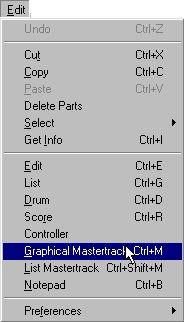
• By using a key command (by default [Ctrl]-[M]).
• By double clicking the Master button on the Transport Bar.