3-D Covers for E-Books and Boxes by An Unknown Talents Production - HTML preview
PLEASE NOTE: This is an HTML preview only and some elements such as links or page numbers may be incorrect.
Download the book in PDF, ePub, Kindle for a complete version.
Download the book in PDF, ePub, Kindle for a complete version.
26
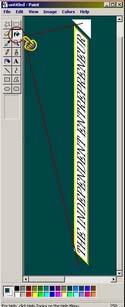
Since the spine (or left box side) is shown on a slant (for depth), we must reflect this in our title to make everything look “natural”. Find the “Vertical:” setting and enter -45 in the degrees box – that’s minus 45.
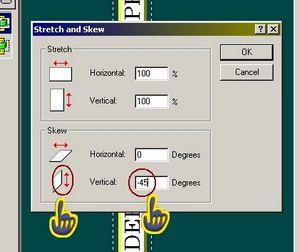
Tip: All of these functions work with positive and negative values affecting the side of the picture where the arrow appears. In the above picture, you can see the Vertical option has the arrows on the right of the white sheet, If a number entered is positive, this side moves up x degrees, if the number is negative this side moves down x degrees. This holds true for all other options here (in different direction).
Using the paint can tool, fill in any white spaces that have appeared.