

How to start blogging by Ramesh - HTML preview
Download the book in PDF, ePub, Kindle for a complete version.
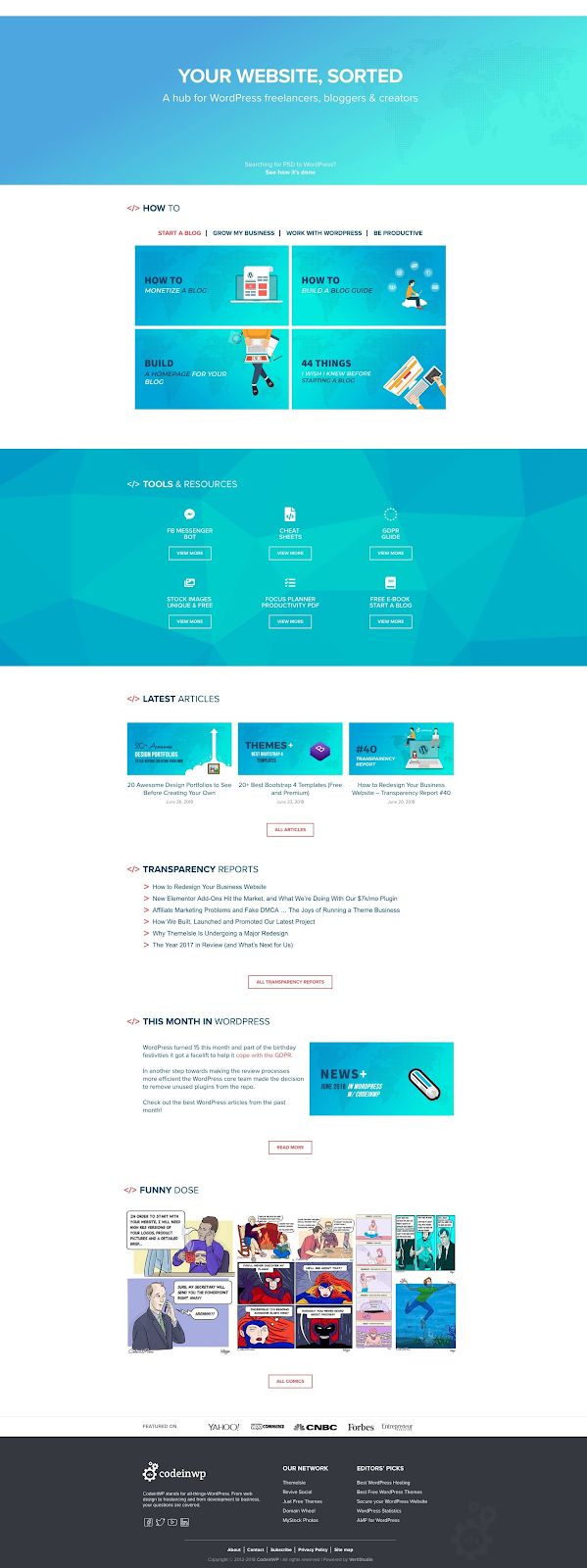
Not sure how to create a homepage? You generally have two options:
● Some themes, like Hestia , come with a dedicated homepage template that you can 42
easily edit to make your own.
● WordPress page builders make it easy to create your own custom page using drag 43
and drop.
Create the other necessary blog pages
Once you check off your homepage, you can move onto the other blog pages. These can usually be a bit simpler – regular pages using the normal text editor should be fine enough.
Again, here are some necessities to get you started, though you might also want to add other pages that are specific to your niche:

🤺 About – this one can get a little personal. Tell people about both the blog and your own background so they know what you’re all about. Give our about page a look for some 44 inspiration. In case you’re wondering, that specific about page was built with Elementor – here’s the tutorial (here’s another tutorial on how to get the same effect with Beaver Builder ). 45 46

🚦 Start here – this page has become pretty common for blogs nowadays. It gives you another chance to direct readers towards your most popular content. See a good example here . Some 47 bloggers will even combine the About and Start Here pages into one single page, which is also a solid approach.
☎ Contact – Pirate Forms will handle the contact form for you. All you need to do is add some instructions and guidelines. Check out our contact page for inspiration. 48

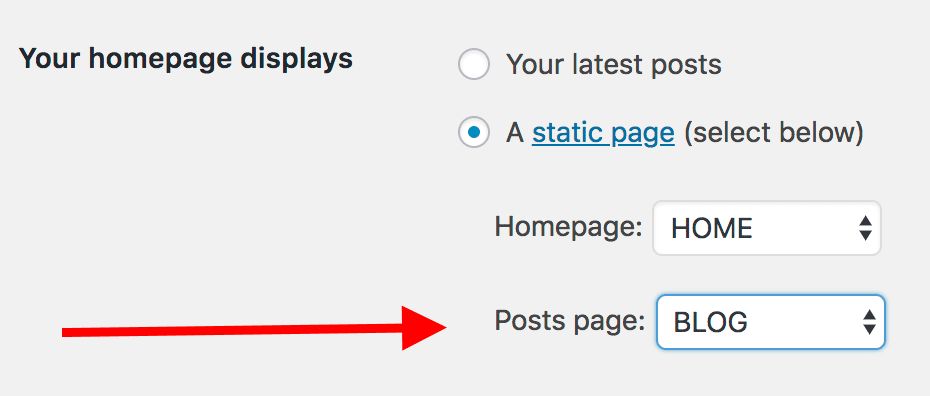
📚 Blog – if you create a static homepage, you’ll need to create a separate page to display the list of your most recent blog posts. Just create a page called Blog and make it display your latest posts by going to Settings → Reading.
42 https://themeisle.com/themes/hestia/
43 https://www.codeinwp.com/blog/elementor-vs-divi-builder-vs-beaver-builder/ 44 https://www.codeinwp.com/blog/about/
45 https://elementor.com/material-design-about-page/ 46
https://www.wpbeaverbuilder.com/how-to-create-a-material-design-about-page-using-beaver-builder-and-hestia/
47 https://expertvagabond.com/best/
48 https://www.codeinwp.com/contact/
⚖ Legal pages – terms of service, privacy policy, affiliate program disclosures … all that legal mumbo-jumbo. It’s not sexy, but it’s important. You can see our ever-so-exciting privacy policy here . 49

💰 Hire me – while not every blogger will need this one, a good “hire me” page can be the first method of monetizing your blog (we’ll talk about more options in the subsequent chapters). The idea behind this page is pretty straightforward – it’s a page where you get to showcase your services and tell people why they might want to buy them. Here’s an example by Karol . 50
Once you get your pages all set up, you’re ready to start blogging!