

How to start blogging by Ramesh - HTML preview
Download the book in PDF, ePub, Kindle for a complete version.
Chapter 6: Your Homepage and Other Blog Pages
At this point, you’re ready to put pen to paper (well, fingers to keys) and start creating some actual content for your blog. We’re not talking about blog posts quite yet, though. First, you’ve got to set up the core blog pages.
These are the static pages that will always be there no matter what. And while they aren’t blog posts, they do provide your readers with important information about you and your site.
Start with your homepage
“A homepage? I’m writing a blog. Won’t my homepage just display my latest posts?”
Homepage blog listing example:
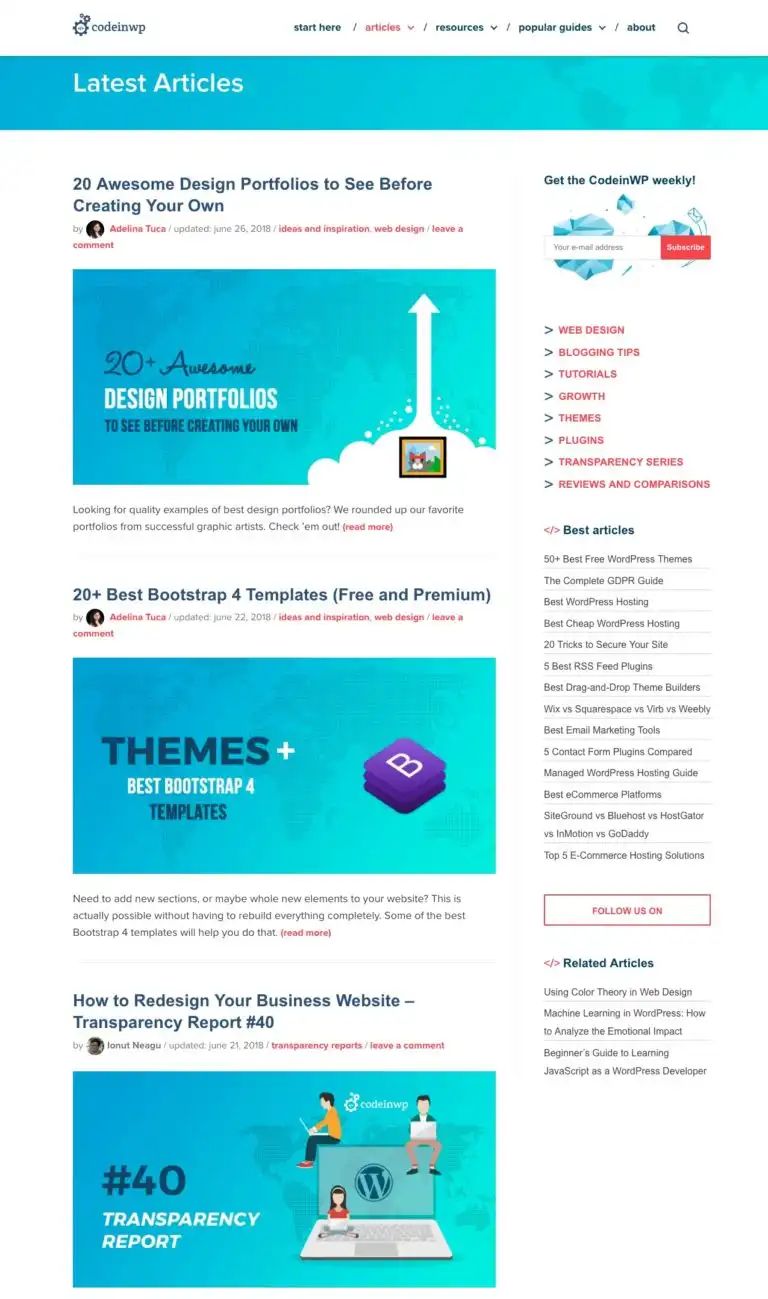
Yeah, that’s how WordPress does it by default. And it does work in a pinch – it’s not the worst thing in the world.
However, the default blog archive listing homepage does kind of…suck. You can read this post 41 for all the reasons and examples why you’re usually better off going with a dedicated homepage.
Creating a dedicated homepage as the first one among your blog pages lets you:

● ✅ Control what first-time visitors see, rather than leaving it up to fate based on what
you’ve published last.

● ✅ Direct visitors to your most important content right away.

● ✅ Build an email list or otherwise promote an offer.
Plus – you can still display your latest posts on your homepage – just make it a part rather than the whole.
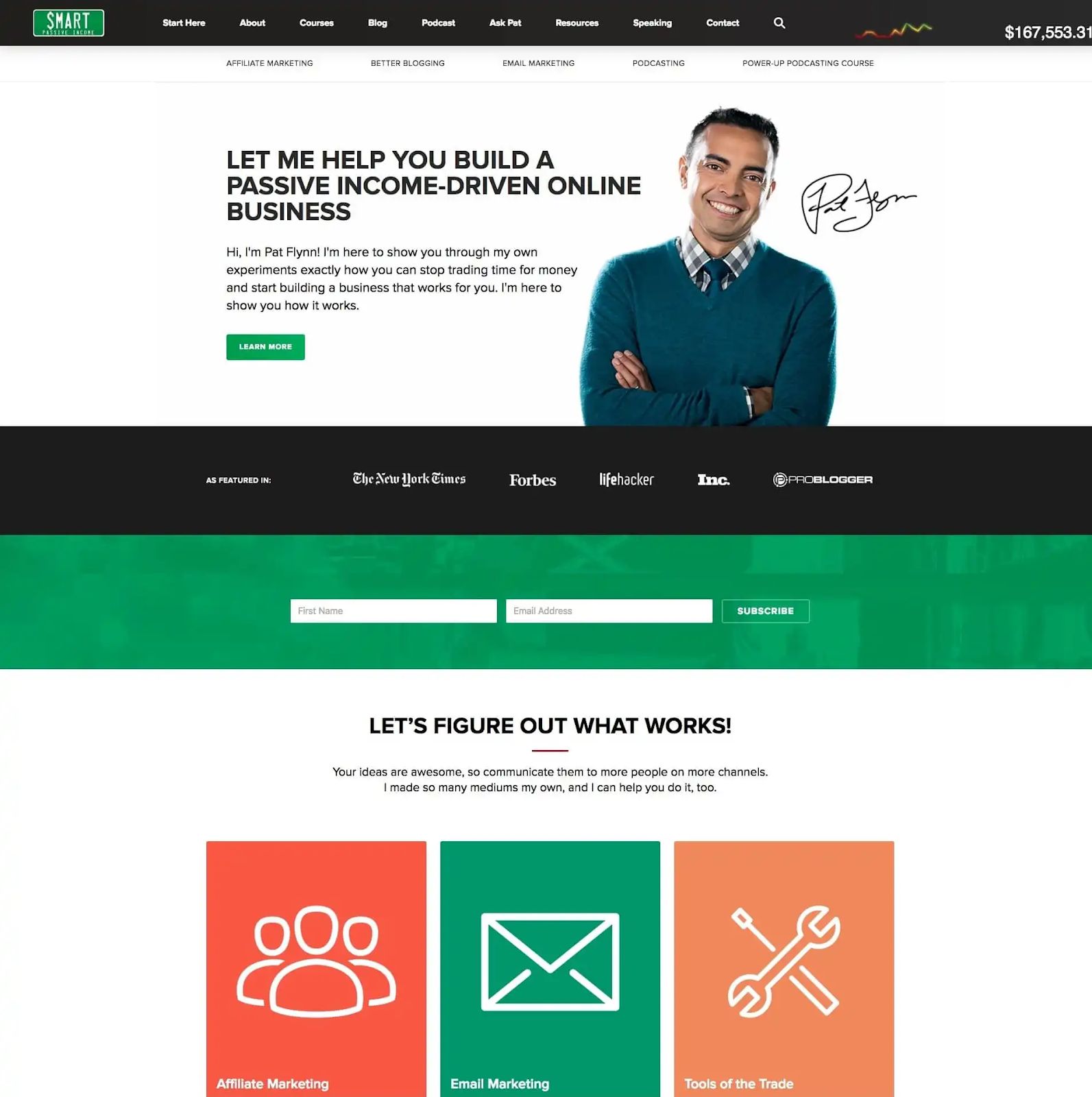
So what should you put on your homepage? While there might always be something specific to your site, these are some core details to consider:
● A clear headline that describes your blog in one or two sentences
● A little bit about you and why visitors should care
● Links to your absolute best content and your other blog pages
● Some of your latest posts
● An email opt-in, if you want to grow an email list
Smart Passive Income is a great example of how to do it right:
41 https://www.codeinwp.com/blog/blog-homepage/
Another example; our new homepage here at CodeinWP.com: