3-D Covers for E-Books and Boxes by An Unknown Talents Production - HTML preview
PLEASE NOTE: This is an HTML preview only and some elements such as links or page numbers may be incorrect.
Download the book in PDF, ePub, Kindle for a complete version.
Download the book in PDF, ePub, Kindle for a complete version.
11
This way, you will have a better view to create the back cover and page cut. Using the eraser tool, select an appropriate size and erase the section as seen below.
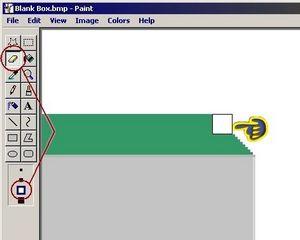 This will represent your back cover.
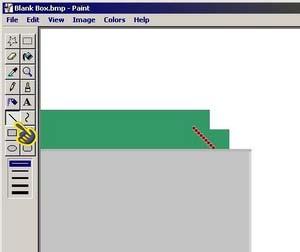
 Make a second erasure and make a line as close to the position shown below. The line will mark the end of the “page” section.