

Cubase vst-the MIDI Mixer and Mix Tracks by - HTML preview
PLEASE NOTE: This is an HTML preview only and some elements such as links or page numbers may be incorrect.
Download the book in PDF, ePub, Kindle for a complete version.
Download the book in PDF, ePub, Kindle for a complete version.
Playing the Objects
When we refer to “playing” the Objects we mean operating them as in “pushing faders”, “turning knobs”, “pressing buttons” etc.Using the Mouse
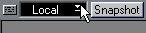
1. Pull down the pop-up menu in the upper left corner of the Mixer window and select “Local” (not “Write” or “Replace”).
This is to make sure your action does not get recorded. If you do want to record your “playing”, see page 13.
 2. Open the Toolbox by right clicking somewhere in the Mixer, and select the Play tool.
• If the Object is a fader, drag the handle up and down (vertical fader) or sideways (horizontal faders). Or click somewhere on the fader, and the handle jumps there.
• If the Object is a dial, hold the tool over it, press the mouse and turn clockwise to increase the value or counter-clockwise to decrease.


• If the Object is an On/Off Switch you change its state by clicking on it.
• If the Object is a display you increase/decrease the value by pressing the mouse over the Object and then change the value as usual.
Playing Master Objects
Some Objects can be Masters, that is they control other Objects. See page 30.