

Cubase vst-Modules by - HTML preview
Download the book in PDF, ePub, Kindle for a complete version.
Studio Module – The Macro Editor Overview
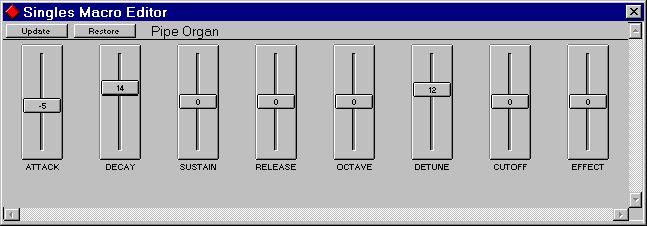
The Studio Module contains a Macro Editor. "Macro" because it doesn't access every little parameter in your devices. Instead, it gives you a quick and powerful way of changing important properties of for example a synth sound, by adjusting "Attack", "Release" or "Brightness".
To open the Macro Editor, simply double click on a Patch in the Patch Window. If a Macro Editor exists for this device and for the Data Type selected, a new window will open containing a number of faders. These are labelled by function. How many faders and their exact functionality will vary depending of the device, hopefully they will be self explanatory if you know something about the possibilities in your particular device.
The faders’ values do not represent the actual settings in the device. Moving a fader up normally means increasing a value from its current setting, and moving the fader down means decreasing it.
The fader you moved last can also be "nudged" up and down using the [↑] and [↓] keys and set to 0 by pressing [Home].Update
If you have made any changes, you can make them permanent by clicking the Update button. This will permanently change the Patch in your device and reset the faders to their "zero" settings.
Restore
This resets all faders to their middle position.Closing the Window
Closing the Window with Keep or [Return] will make the changes permanent in the device just as with Update. Using Cancel or [Esc] will close the window without making the changes permanent. If you then select this Patch from the Patch Manager, it will (most likely) return to its old "state".