

Cubase vst-Modules by - HTML preview
Download the book in PDF, ePub, Kindle for a complete version.
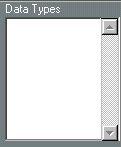
The Data Types list
Contains Data
Contains Names Only
 Activated Data Types
 Deactivated Data Types
This list contains the names of all the Data Types in a certain device. For example, a Korg M1 has three Data Types: Programs, Combinations and Global Data, which can all be treated individually. A Lexicon LXP-1 reverb only has Effects, a MIDI Patchbay may have Routings, etc. In other words, how many types of data and their naming is individual to each type of device.
When a Data Type is loaded with some data (settings from an instrument), there will be a ">" mark to the left of the type. When the Data Type only contains names (see page 145) there will be an "n" to the left of the type.
Selecting
The Data Types list is actually a set of switches, allowing you turn the different Data Types on and off for certain operations. Each time you click on a Data Type in the list it will get activated/deactivated.
Purpose
The activation of Data Types is used in the following operations:• When using this window to transfer System Exclusive data (settings) between the devices and the computer.
• When clearing dumps.