

Cubase vst-Modules by - HTML preview
PLEASE NOTE: This is an HTML preview only and some elements such as links or page numbers may be incorrect.
Download the book in PDF, ePub, Kindle for a complete version.
Download the book in PDF, ePub, Kindle for a complete version.
Studio Module – The Data Dump Window Overview
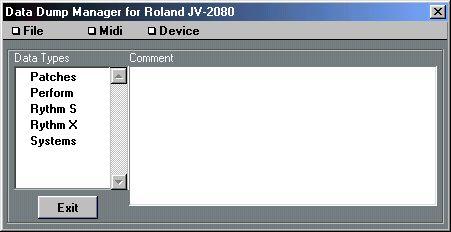 This window can be opened in two ways:
 • By clicking the Data Dump button in the Patch Manager window (see page 109).
• By trying to open the Patch Manager for a certain device for which no Patch Manager definition exists (this will be the case with some rare MIDI utilities and with the Any Dump driver).
Devices which you manage via “List Drivers” (see page 154), do not have any Data Dump window, since these drivers only handle names, not actual settings.