

Cubase vst-Modules by - HTML preview
Download the book in PDF, ePub, Kindle for a complete version.
Studio Module – Terminology About this Chapter
One of the problems with handling System Exclusive data for a large number of manufacturers is that they all structure their data in different ways. And to make things even more complicated, they all use different naming too! This has forced us to create a pretty wide concept of how data is structured in the Studio Module and to invent a set of names for these structures.
Below you will find our concept and the names we use, explained pretty much in detail.Please note that the meaning of the words below is the way we use them in this manual and in the Studio Module. Other manufacturer's may interpret some terminology differently.
Device
A Device is defined by the MIDI Manufacturers Association to be a "hunk of plastic and metal", in other words, a synthesizer, an effect unit, a drum machine etc. This is also the way the Studio Module uses this concept.
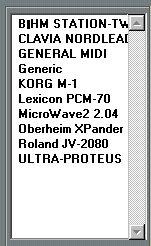 The Setup dialog lists all your Devices
Instrument
This is a Cubase concept, which exists independently of the Studio Module. In Cubase and in the Studio Module, an Instrument defines a MIDI Channel and an Output and which device and patch the Track plays. In the Studio Module you can also define “which mode” it is in (see below). Also, with the Studio Module you don't create Instruments yourself, it puts them in for you.
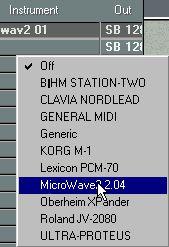 All your Instruments are found on the Instrument pop-up in the Arrange window.
Instrument Categories
The Studio Module handles three categories of Instruments: Single, Parent and Child, as described below.
Dump/Data Dump
Dump is a verb and a noun. “A Dump” (also called a Data Dump) is data that originally comes from a MIDI device. It normally is a "lump" of System Exclusive data that represents settings in the device. If you know how to decipher these settings (the Studio Module does!), you can find out how the device was set up, how the sounds were programmed, what names were used etc.
“To Dump”, means to either get those settings out of the device or to transmit them to it. When you send a Dump out to a device, it normally gets totally or partially reprogrammed with the setting that the Dump contains.
Data Types
The different types of dumps and data structures in a device.A MIDI device can often do just not one type of dump, but several. Lets take a synthesizer as an example. It might have basic sounds that can be programmed to taste (one Data Type). It might have multitimbral setups, where you can combine those basic sounds into complex setups (another Data Type). It might have effects that can be adjusted separately (yet another Data Type), etc, etc.
Most often, at least in newer MIDI devices, you will be able to perform a dump of each Data Type, separately.In the Studio Module, the Data Dump window contains a list of each device's Data types. See page 126.
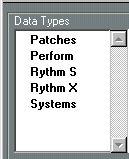 A Korg Wavestation has six Data Types.
Bank
A Bank is a Data Dump that can be broken down into Patches (see below). In other words, a Bank is a collection of settings, for example containing some or all the programmed sounds in a synth, some or all effect settings in a reverb, etc.
When we talk about Banks as they are organised in the actual device, they break down into three main categories:Ram Banks
These are Banks which the user can modify. If you can change the settings of, for example, a sound in synth, and store it again at the same memory location, it resides in a RAM Bank (RAM is an acronym for Random Access Memory).
ROM BanksThese are Banks which you can read from, but not save to. Often on, for example, a synthesizer, there will be a ROM Bank of factory sounds which you will be able to use as a basis for your own sounds, (by saving into a RAM Bank) but which you can not modify permanently.
Card BanksThese are Banks that reside on memory cards that you can plug into the device. Card banks may be of the ROM or RAM type, it differs. However, normally you can't do a Data Dump via MIDI of the data on a card. Therefore, the Studio Module has special tools for handling Card Banks, see page 121.
Although there are only these three “types” of Banks, a device might be able to handle any number of Banks, and more than one Card Bank. Banks may also have names.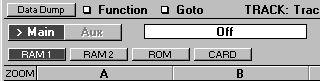 A Korg Wavestation has four Banks.
Patch
A single complete setting in a device, for example: a sound in a synth, a reverb setting in an effect unit, a routing in a MIDI Patchbay etc. Patches can be recalled from the front panel of the device, and can most often be named. On almost all devices you can select between Patches using MIDI Program Change messages.
A number of Patches make up a Bank.
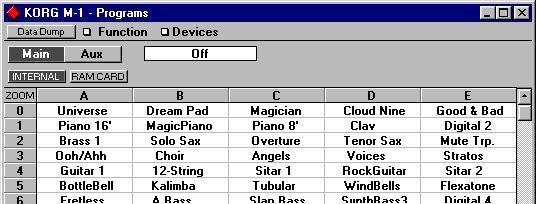 A section of the 100 Patches that make up the Program Bank for a Korg M1.
In many devices there will be several types of Patches, one for each Data Type. In a synthesizer there might be Patches for individual sounds, Patches for multitimbral setups, etc. The Studio Module will let you handle these individually via its Instrument and Patch Categories: Single, Parent and Child.
Single, Parent and Child
These are the three Instrument and Patch Categories. These also correspond to the Data Types and Banks. Let's get into these concepts by starting to talk about Single, Parent and Child Instruments.
When you pull down the Instrument column in the Arrange window and select a device, a new menu might appear with a list of all the Instruments that this device can handle. These Instruments will be divided into the three categories Single, Parent and Child, if the device can handle all three categories. Otherwise as many as applies will be shown. There will only be one Single Instrument (maybe named Program, Voice or Patch), there will only be one Parent Instrument (maybe named Combi, Multi or Performance) but there will be as many Children as the device has MIDI Channels to receive on (if you haven't changed the default setting for Child MIDI Channels in the Setup Window).
SingleWhen you use the Arrange window (with the Studio Module loaded) to set a Track to play a Single Instrument, the device will be put into a mode where it plays one Patch at a time. In other words, in this mode it will not be multitimbral. Older synths are always in Single mode, they can only play one Patch at a time. Most other MIDI devices (not synths, that is) are also always in Single Mode. As you know, most effect units can only handle one effect Patch at a time, MIDI Patchbays can of course only have one complete routing loaded at a time, etc.
A Single “Patch” is a Patch that a device can play when set to Single mode.Parent
When a device is multitimbral (when it can play several Patches at the same time) you will probably have the possibility to make up a multitimbral setup and store it in memory as a Patch (although it will probably not be called Patch on the front panel of your instrument). We call it Parent because it takes other Patches (Children, see below) under its wings and guards them...
• Some devices are multitimbral but do not have Parent Patches. These can only hold one multitimbral setup in memory at a time.
• Setting a Track to play a Parent Instrument will put the device in a multitimbral mode (if it has one, or if it isn't always in a multitimbral mode).
• A Parent “Patch” is a Patch that makes the device switch in a complete multitimbral setup.
Parent Patches are made up of Child Patches. When you are setting up a device to play a number of sounds you need for a Song, you are assigning Child Patches to a Parent Patch. There's a very special feature in the Studio Module where when you set a Track to Play a Parent Patch, the Arrangement becomes "aware" of how this Parent Patch is built up and shows you this. See page 141 for details. How many children a device can access depends on it's capability (how many MIDI Channels it can receive on at the same time, typically 6, 8 or 16). Some manufacturers call Child Instruments "Parts", other call them "Timbres" or "Channels".
The Child Patches available will probably be the same collection as in the device's Single mode.