

Cubase vst- Getting into the Details by - HTML preview
PLEASE NOTE: This is an HTML preview only and some elements such as links or page numbers may be incorrect.
Download the book in PDF, ePub, Kindle for a complete version.
Download the book in PDF, ePub, Kindle for a complete version.
Renaming and Removing Window Sets
The Edit item on the Window Sets submenu (on the Windows menu) brings up a dialog that lists all Window Sets.
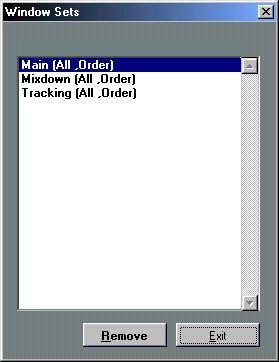 Note that the items on the list give you a hint about which options were selected when each Window Set was created.
• To rename a Set, double click on it, type in the new name and Press [Return].
• To delete a Set, select it in the list and click the Remove button.
• When you are done, click Exit.