Cubase vst- Getting into the Details by - HTML preview
PLEASE NOTE: This is an HTML preview only and some elements such as links or page numbers may be incorrect.
Download the book in PDF, ePub, Kindle for a complete version.
Download the book in PDF, ePub, Kindle for a complete version.
Editing in the Event Display
Moving Events
You can use the Arrow tool to move Events in the Event Display, much like in Key or Drum Edit. However, there is one big difference. This is how you should look at the horizontal and vertical positions:
• The horizontal position of an Event in the Event Display is directly related to its Start Position in the Song (just like in Key or Drum Edit).• The vertical position of an Event is just related to the order of the Events, like in the List. It has no direct relation to time.
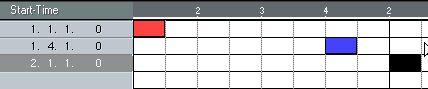
The figure below shows an example of this.
If you move the Event in the middle a bit to the right...
 ...it will still keep the exact same vertical position, since its position is still
 after the first Event but before the third.
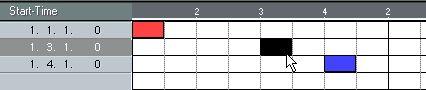 But if you move the Event further to the right, past the third Event......the Event suddenly appears on another vertical position,
 since the order of the Events has been changed.