

Cubase VST-Score Printing and Layout by - HTML preview
PLEASE NOTE: This is an HTML preview only and some elements such as links or page numbers may be incorrect.
Download the book in PDF, ePub, Kindle for a complete version.
Download the book in PDF, ePub, Kindle for a complete version.
Staff Settings
Below follows a run-through of all Staff settings, more detailed information about the ones already described and references to other places in the manual for some options.
Use this section to set up Split The name of the active Track Staves and Polyphonic voices
Use this section to select keys and clefs
Use this section to set
up how the display
should be quantized
Use this section to
make additonal
settings for how the
notes are displayed
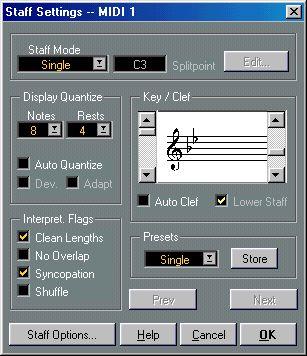 This button opens up yet another Use these buttons to step Use this section to turn the dialog with additional settings between the staves current settings into a preset The Staff Settings dialog box.