

Cubase VST-Score Printing and Layout by - HTML preview
PLEASE NOTE: This is an HTML preview only and some elements such as links or page numbers may be incorrect.
Download the book in PDF, ePub, Kindle for a complete version.
Download the book in PDF, ePub, Kindle for a complete version.
Alignment
Symbols can be aligned as in drawing programs. Proceed as follows:
1. Select all objects you want to align.
2. Select Align Elements from the Format menu on the Score menu.
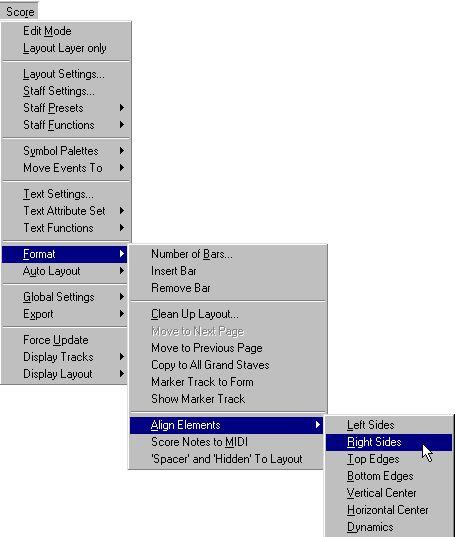 3. Select the desired option from the pop-up that appears. The object(s) will now be moved.
Select This: When You Want This:
Left Sides
Right Sides
Top Edges
Bottom Edges
Horizontal Centers
Vertical Centers
P Note symbols, like staccato and accents can only be aligned horizontally.
The “Dynamics” option is a special function for aligning dynamic symbols, as described on page 217.