

Betting Exchange Trader by Ken Millard - HTML preview
PLEASE NOTE: This is an HTML preview only and some elements such as links or page numbers may be incorrect.
Download the book in PDF, ePub, Kindle for a complete version.
Download the book in PDF, ePub, Kindle for a complete version.
Appendix I
Microsoft Excel Spreadsheet Calculations:The following spreadsheet screenshots explain how easy it is to set up various scenarios:
Scenario1 Input Areas are coloured grey
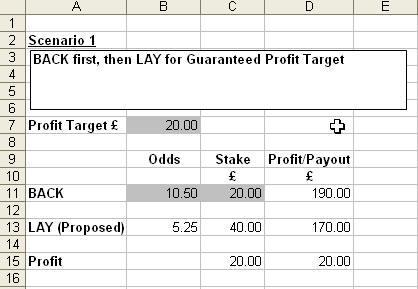 Formula Display
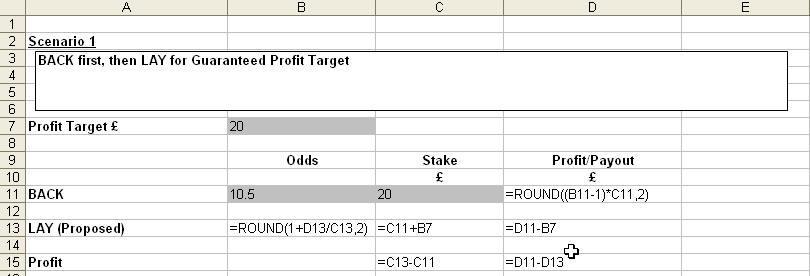 Following the input of your desired Profit Target and relevant details from your BACK BET, the Odds and Stake required for your proposed LAY BET will be calculated.
 Input Areas are coloured grey
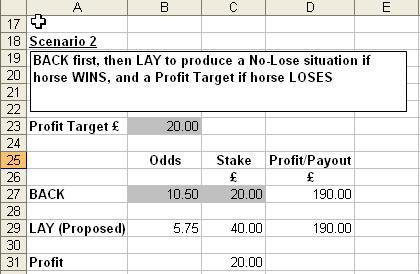 Formula Display
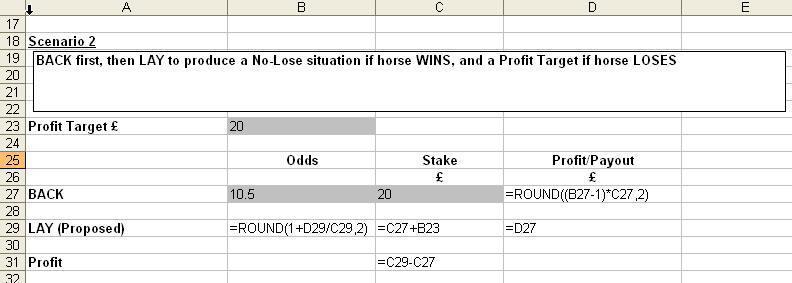 Following the input of your desired Profit Target and relevant details from your BACK BET, the Odds and Stake required for your proposed LAY BET will be calculated.
 Input Areas are coloured grey
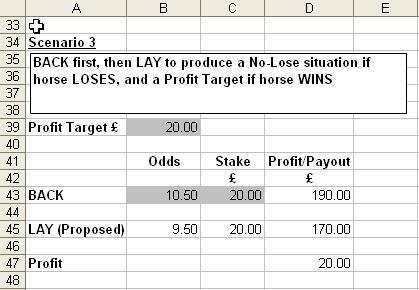 Formula Display
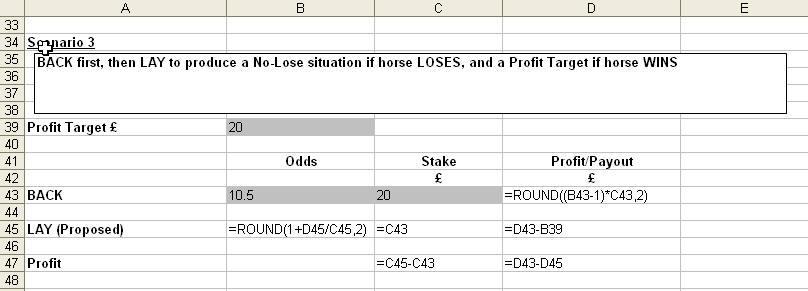 Following the input of your desired Profit Target and relevant details from your BACK BET, the Odds and Stake required for your proposed LAY BET will be calculated
 Input Areas are coloured grey
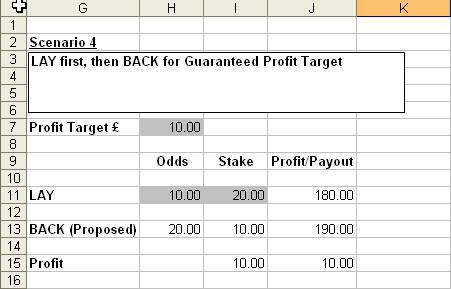 Formula Display
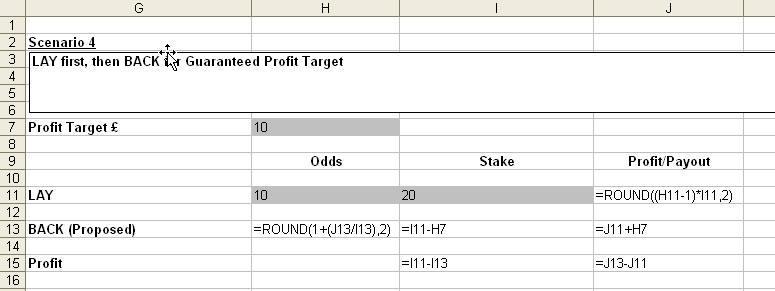 Following the input of your desired Profit Target and relevant details from your LAY BET, the
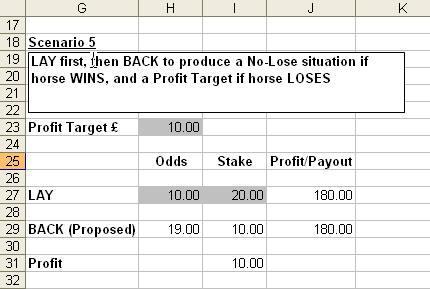
 Input Areas are coloured grey
 Formula Display
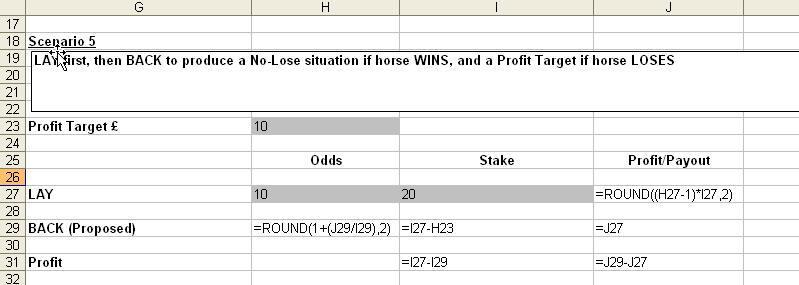 Following the input of your desired Profit Target and relevant details from your LAY BET, the
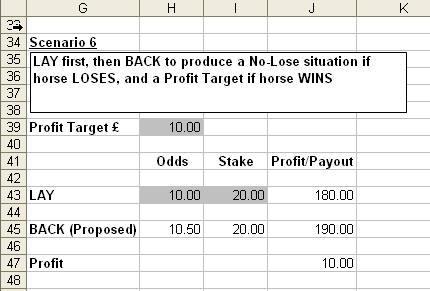
 Input Areas are coloured grey
 Formula Display
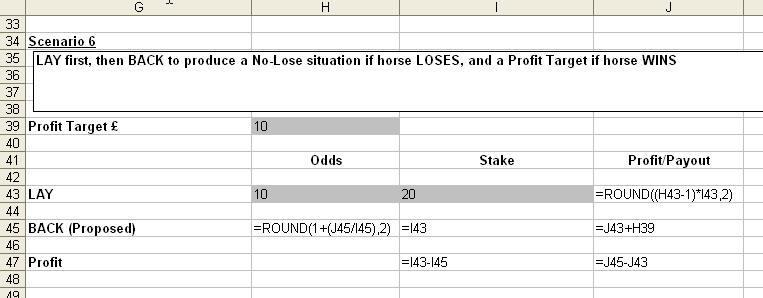 Following the input of your desired Profit Target and relevant details from your LAY BET, the
 Input Areas are coloured grey
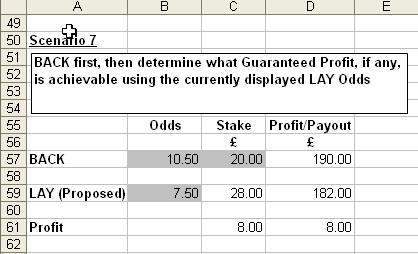 Formula Display
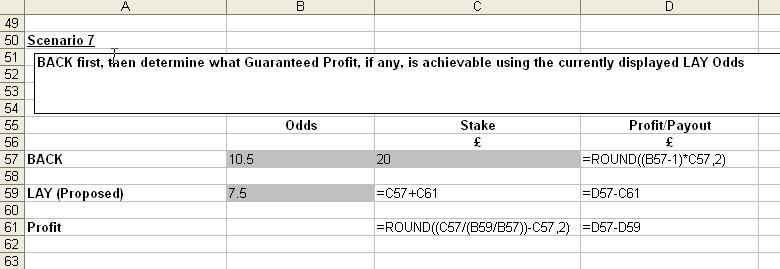 Following the input of details from your BACK BET and proposed LAY ODDS, the Guaran teed Profit and Stake required for your LAY BET will be calculated.
 Input Areas are coloured grey
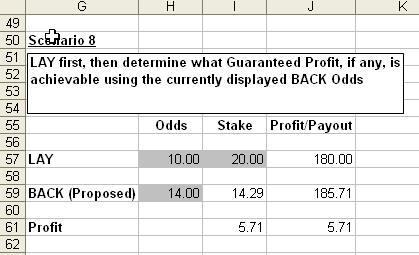 Formula Display
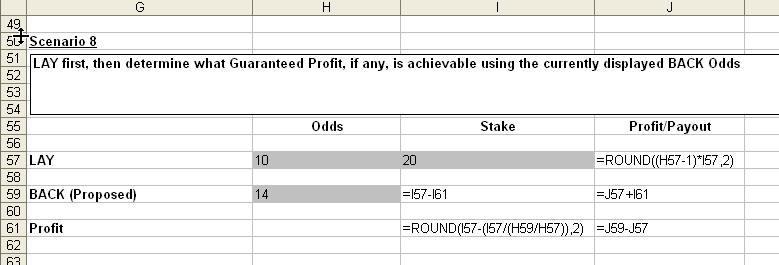 Following the input of details from your LAY BET and proposed BACK ODDS, the Guaran teed Profit and Stake required for your BACK BET will be calculated
 APPENDIX II
A 2 Horse Race Spreadsheet Layouts
BACKING Input Areas are coloured grey
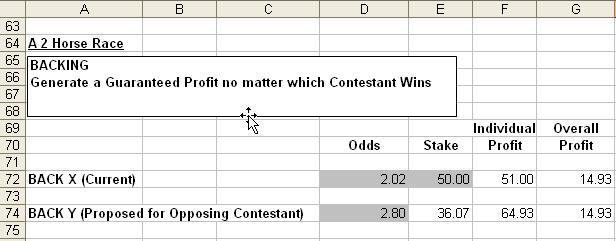 Formula Display
BACKING
Input Areas are coloured grey
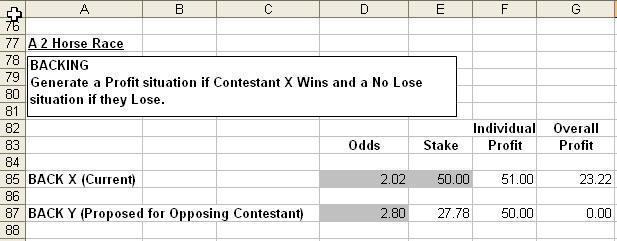 Formula Display
BACKING
Input Areas are coloured grey
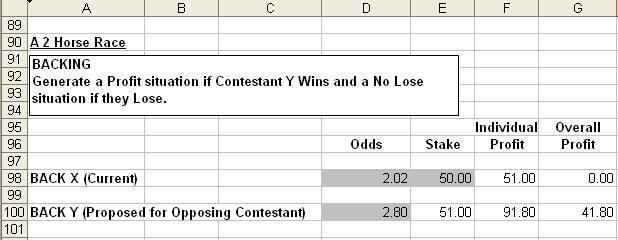 Formula Display
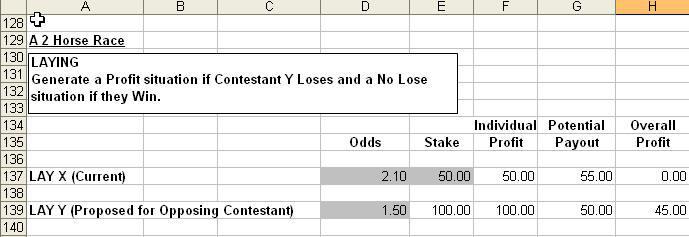
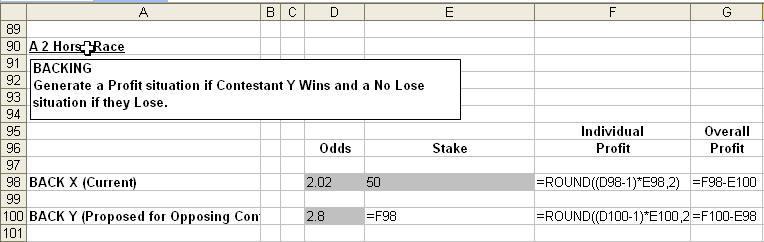 LAYING
 Input Areas are coloured grey
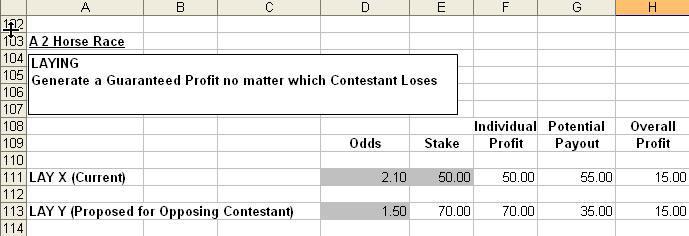 Formula Display
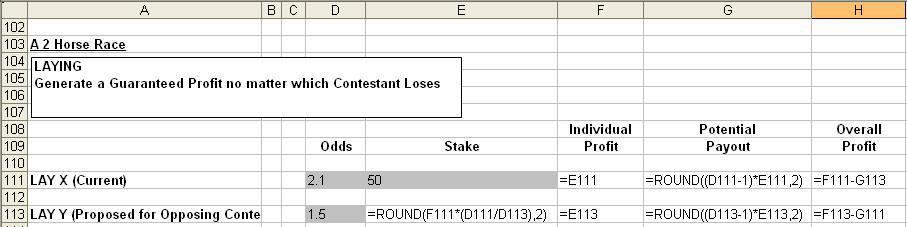 LAYING
 Input Areas are coloured grey
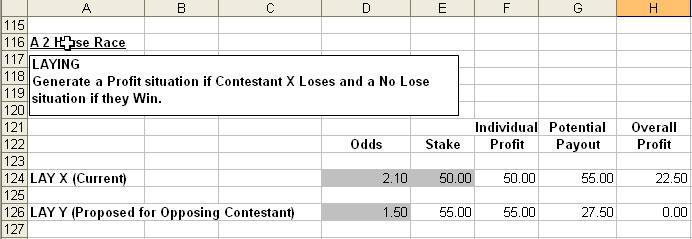 Formula Display
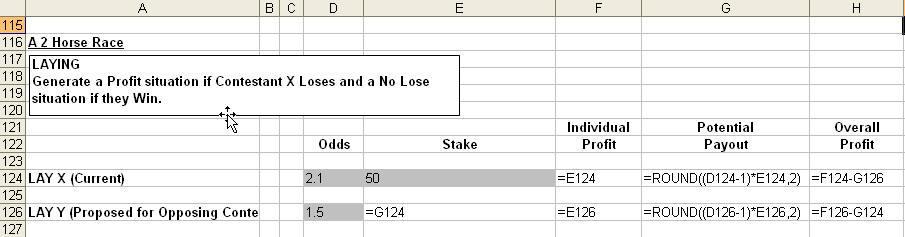 LAYING
 Input Areas are coloured grey
 Formula Display
APPENDIX III