Viral Internet Marketing Made Easy - How To Make Money Online By List Buildin by Mike Maquilan - HTML preview
PLEASE NOTE: This is an HTML preview only and some elements such as links or page numbers may be incorrect.
Download the book in PDF, ePub, Kindle for a complete version.
Download the book in PDF, ePub, Kindle for a complete version.

Step 1. Create Form In GetResponse
In your GetResponse menu on top of your dashboard select Forms > Create Form.
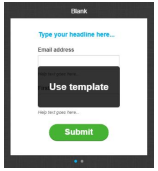
Step 2. Use A Blank Template
On the Create Form page, choose List Builder Wizard and select Blank template.
Step 3. Publish The Form
On the next page, just publish the Form by clicking Save & Publish.

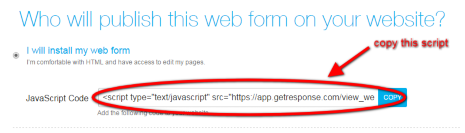
Step 4. Copy the Web Form Code
Now, just copy the Web Form Code and save this for later use in our funnel.