

Zellip Apps by Hackspedia.com - HTML preview
PLEASE NOTE: This is an HTML preview only and some elements such as links or page numbers may be incorrect.
Download the book in PDF, ePub, Kindle for a complete version.
Download the book in PDF, ePub, Kindle for a complete version.
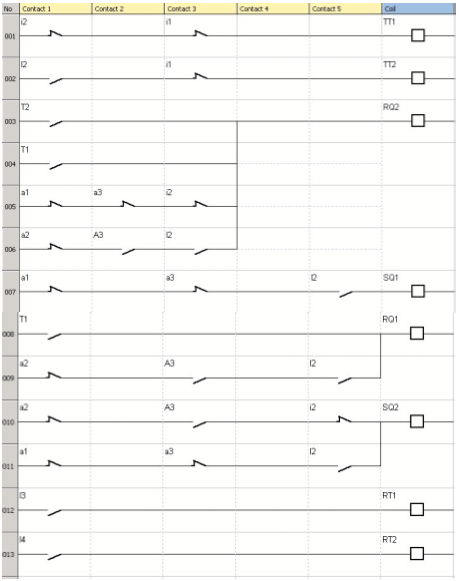
Logic diagram:
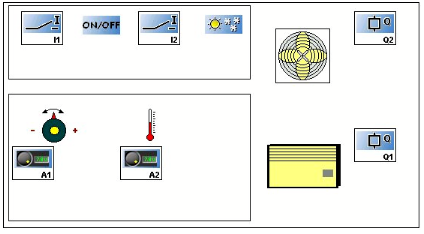
Supervision window:
Click on the link below to access the application:
Room temperature regulation
Note: to simulate this program, first adjust the setpoint using analog input IC then switch on the temperature regulation (I1=1, click on I1). If the chill mode is selected (I2=0), the fan will be activated as soon as the temperature exceeds the setpoint of 3°C and will stop when it drops 2°C below the setpoint. And conversely for the heat mode.