

Access Checklist by Dennis - HTML preview
PLEASE NOTE: This is an HTML preview only and some elements such as links or page numbers may be incorrect.
Download the book in PDF, ePub, Kindle for a complete version.
Download the book in PDF, ePub, Kindle for a complete version.
SquareSpace’s Video Guide: Inviting a contributor
1. Go to your SquareSpace home menu.
2. Click Settings.
3. Click Permissions.
4. Click Invite Contributor.
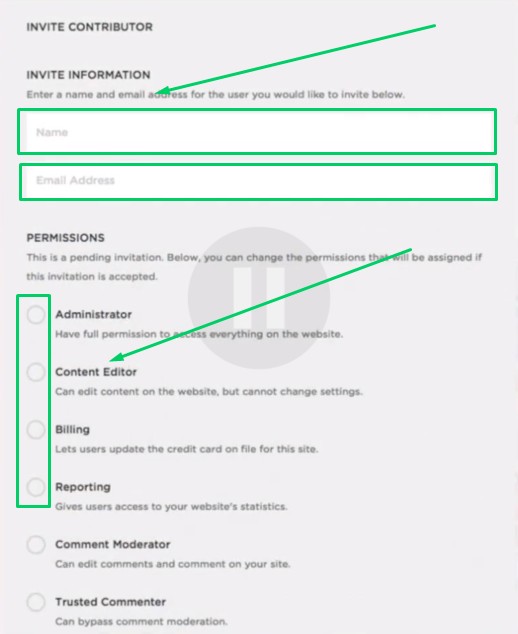
5. In the Name box, write “CoachYu”.
6. In the “Email Address” box, write “access@blitzmetrics.com”.
7. Click on as many circles under “Permissions” that you are willing to allow. See Permissions explained
8. Click “Save”.