Access Checklist by Dennis - HTML preview
PLEASE NOTE: This is an HTML preview only and some elements such as links or page numbers may be incorrect.
Download the book in PDF, ePub, Kindle for a complete version.
Download the book in PDF, ePub, Kindle for a complete version.
1. Log in to https://ads.google.com.
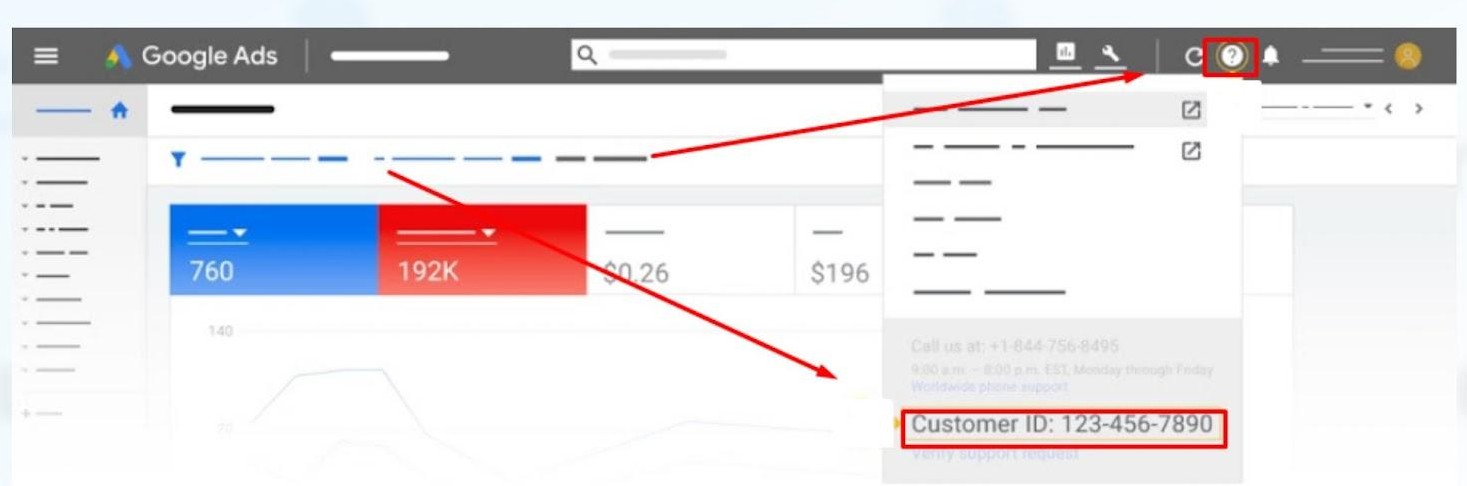
2. Find your Customer ID number by clicking on the "?" icon.
3. Send an email to access@blitzmetrics.com with your Customer ID.
4. Wait for our team to send you an email request. Go to your inbox, find the email request to add CoachYu as a client manager.
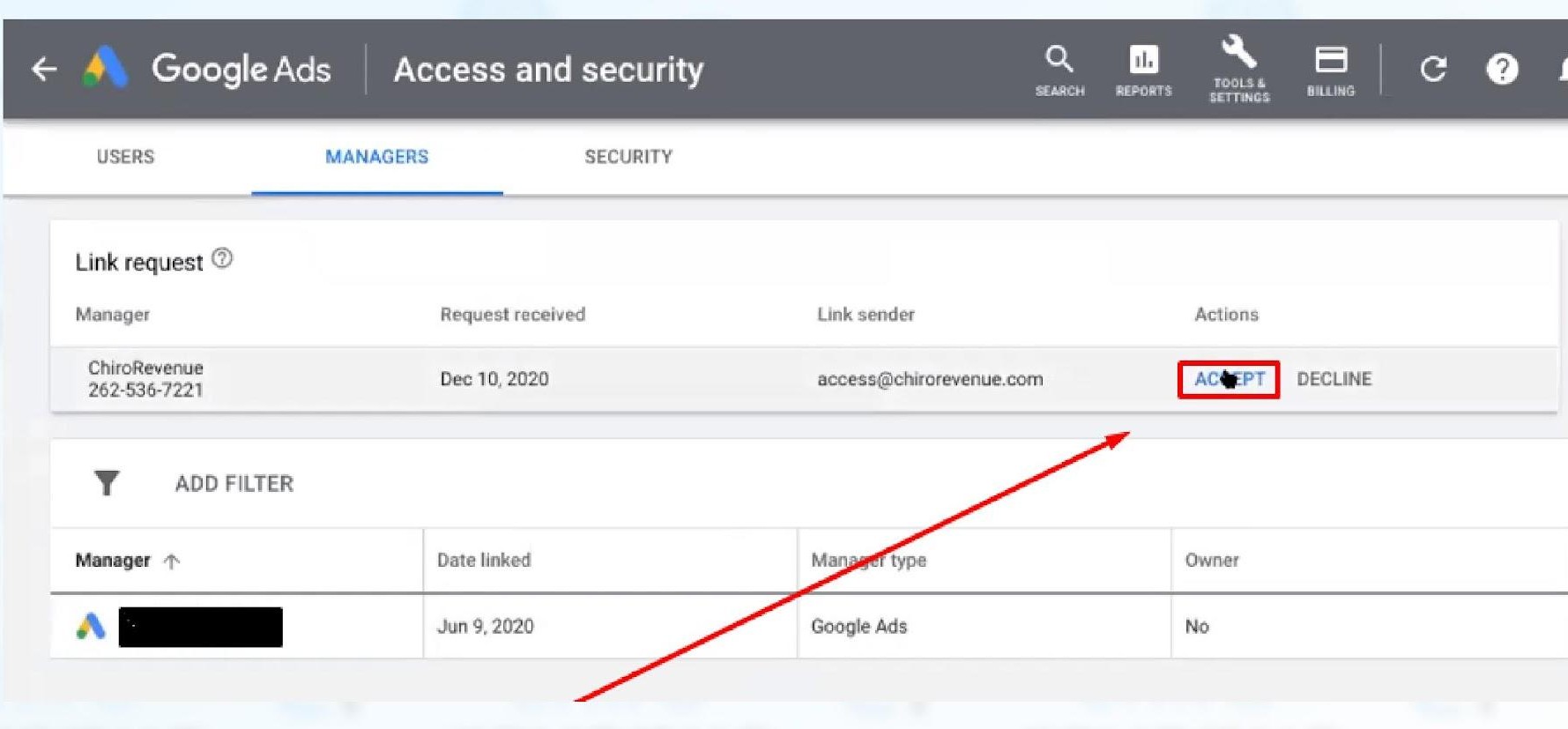
5. In the email, click Accept Request, which will take you to the Google Ads website.
6. In the Google Ads website, click Accept.
7. Click Grant Access.