

Access Checklist by Dennis - HTML preview
PLEASE NOTE: This is an HTML preview only and some elements such as links or page numbers may be incorrect.
Download the book in PDF, ePub, Kindle for a complete version.
Download the book in PDF, ePub, Kindle for a complete version.
Google Business Profile (Google My Business)
1. Sign in to https://www.google.com/business/.
2. If you have multiple locations, open the location you’d like to manage.
3. At the left panel scroll down and click Users.
4. In the top right corner, click the Add users icon.
5. Write "access@blitzmetrics.com" in the blank space.
6. In the drop-down menu Choose a role, select Manager.
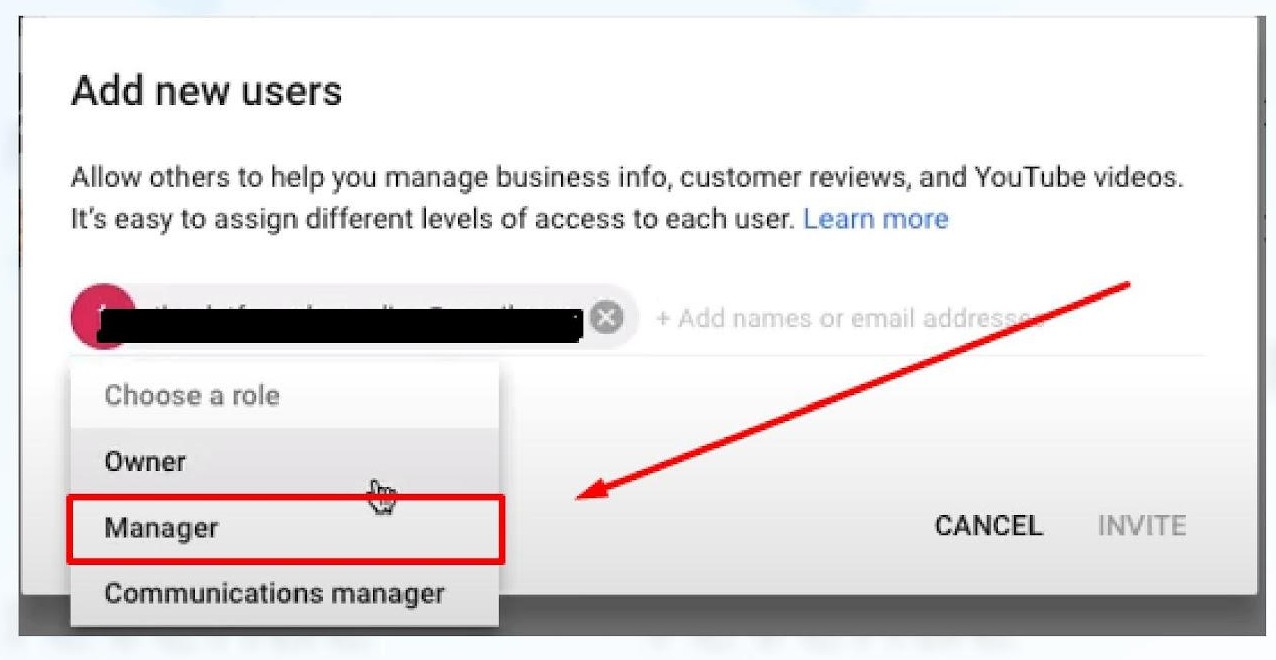
7. Click Invite.
Note: Invitees will have the option to accept the invitation and immediately become listing owners or managers