

How to start blogging by Ramesh - HTML preview
Download the book in PDF, ePub, Kindle for a complete version.
Chapter 9: WordPress Blog SEO – Where to Start
When it comes to starting a blog, you just can’t skip search engine optimization (SEO). In other words, WordPress blog SEO is crucial if you ever want for people to discover your blog.
But don’t worry – it’s not as complicated as you might think. We’ll quickly cover the basics so you can start blogging on the right foot.
Specifically, we’ll talk about:

● 👨🔬 Keyword research

● 📄 On-page SEO

77 https://www.codeinwp.com/blog/how-to-simplify-the-wp-admin/

● 🏛 Site architecture

● 🔗 Link building

Keyword research – the key to WordPress blog SEO 👨🔬

Every page and post on your blog should have a target keyword. Every single one!
But how do you know what keyword to target?
The easiest way is one we talked about in one of the previous chapters – simply start with your competition.
Find their top-performing posts by plugging their URL into BuzzSumo , then take the URL of 78 their top post and plug that into Google Keyword Planner (GKP) to see what keywords they 79 rank for.
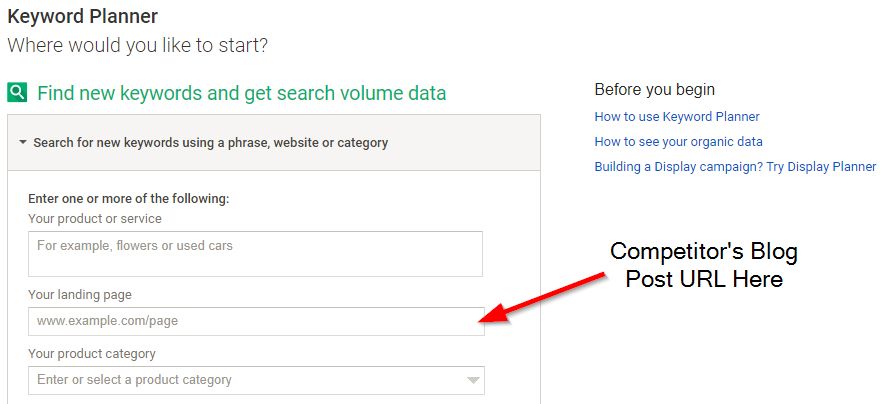
If you see any good ones, steal ’em!

💡 PRO TIP: The “competition” row in GKP refers to paid advertising, not organic rankings, so don’t worry about that when choosing a keyword.
● You can check out this guide for more help on finding a proven topic and good 80
keywords for your WordPress blog SEO.
78 http://buzzsumo.com/
79 https://adwords.google.com/home/tools/keyword-planner/ 80 https://www.codeinwp.com/blog/practical-seo-guide/#keyword-research On-page SEO: a quick & dirty overview 📄

On-page SEO is the practice of including your keyword (and LSI keywords – words or phrases that are semantically related to each other) in strategic locations on your page. It’s important to tell Google what your content is about.
Specifically, you should include your primary keyword in:
● The page title
● The URL of the page
● At least one subheading (H2 or H3) on the page
● At least one image’s alt text
● The meta title
● The meta description
● The body content (a handful of times)
…
So, for example, if you’re targeting “SEO tips” as your main keyword, your page would be optimized like this:
● Title: “5 SEO Tips to Grow Your Rankings (Fast!)”
● URL: yoursite.com/seo-tips
● H2: The SEO Tips That Actually Matter
● Image alt text: “SEO tips for beginners”
● Meta title: “5 SEO Tips to Grow Your Rankings (Fast!)”
● Meta Description: “Looking for SEO tips? These 5 tactics helped us go from 0 to 1,000
daily visitors in less than 6 months!”
● And of course in the content, you’d use “SEO tips” a few times. I recommend at least 3-5
per 1000 words, but don’t overdo it, because Google will penalize you for keyword stuffing.
Sounds like a lot to remember, right?
That’s where the Yoast SEO plugin comes in! The best all-in-one solution for WordPress blog 81
SEO (and also one of the plugins that we’ve recommended as a must-have in an earlier chapter).
Yoast reminds you to put your keyword in the right places and warns you if you’re doing something wrong. So just make sure you get “all green lights” from Yoast before you publish anything!
Right below your main content block – when editing a post – is where you’re going to find the Yoast block, and within it is where you should seek the approval of the almighty green lights 🚦 (example below).

And I really do mean all of those green lights. For instance, the editor here at CodeinWP won’t ever approve a post until it’s all green. I know this is sometimes a difficult thing to achieve based on what your keyword is, but it really pays off in the long run.

● Check out this guide to learn more on how to go about your on-page SEO. 82

Site architecture: structure your site for readers and Google 🏛
The way your site is set up affects how easily users (and Google’s crawler bots) can navigate it.
There are two golden rules to site architecture in terms of WordPress blog SEO:
1. Every page should be within three clicks of every other page.
2. Your site should be simple and scalable.
More on those later. First, and example of BAD site architecture (each block is a single sub-page):
81 https://wordpress.org/plugins/wordpress-seo/ 82 https://www.codeinwp.com/blog/practical-seo-guide/#on-page-optimization
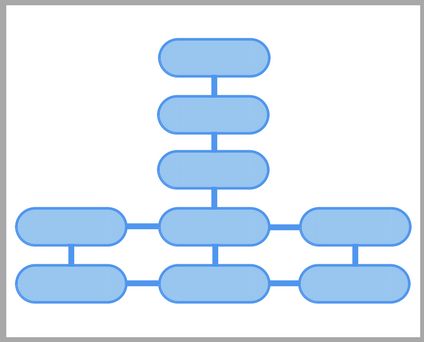
It breaks both rules. It takes as many as five clicks to get to the content (go from the top to the bottom left), and it’s not scalable.
Not only is this poor for navigation, it also hurts your search rankings. Here’s why:
Typically, your home page is the most authoritative page on your site. Internal links from one page on your site to another pass some of that “link juice” or “authority” from one page to another. This was formerly called PageRank, but Google no longer uses that term.
Visually, it works like this:
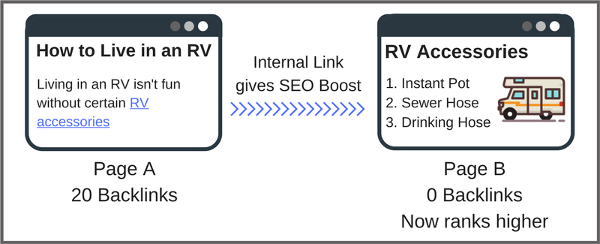
So if you bury your posts deep within your site, you’re losing the authority from your home page. Here’s another visual:
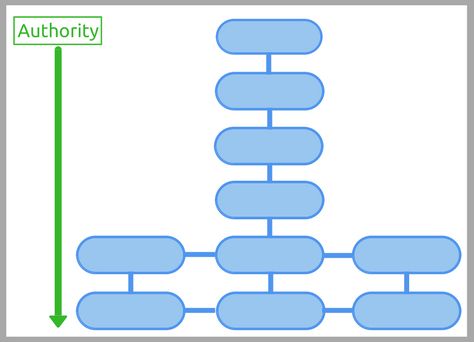
So your blog posts lose out on that link authority.
Instead, set up your site like this:
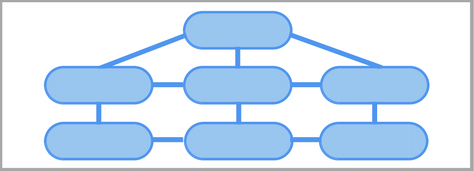
Your pages are linked together like a web. These internal links help Google crawl all your pages efficiently, while helping users get around your site. It also spreads around your site’s authority, helping all your content rank = that’s good WordPress blog SEO.

How to get started with link building 🔗
Just as internal links from one of your pages to another passes authority, so too do links from other people’s websites to yours.
Actually, links from another website to yours are far more important for ranking your website on Google than internal links. Think of links like votes for Google. The more votes your website has, the better chance it has to rank highly.
However, you don’t just want links to your homepage. While they do help, what’s more important are links directly to the individual blog posts you’re trying to rank.
Matthew Barby, the director of HubSpot, performed a study on their site and found that pages with more links received far more organic search traffic than pages with fewer links.
I would even risk saying something like this:
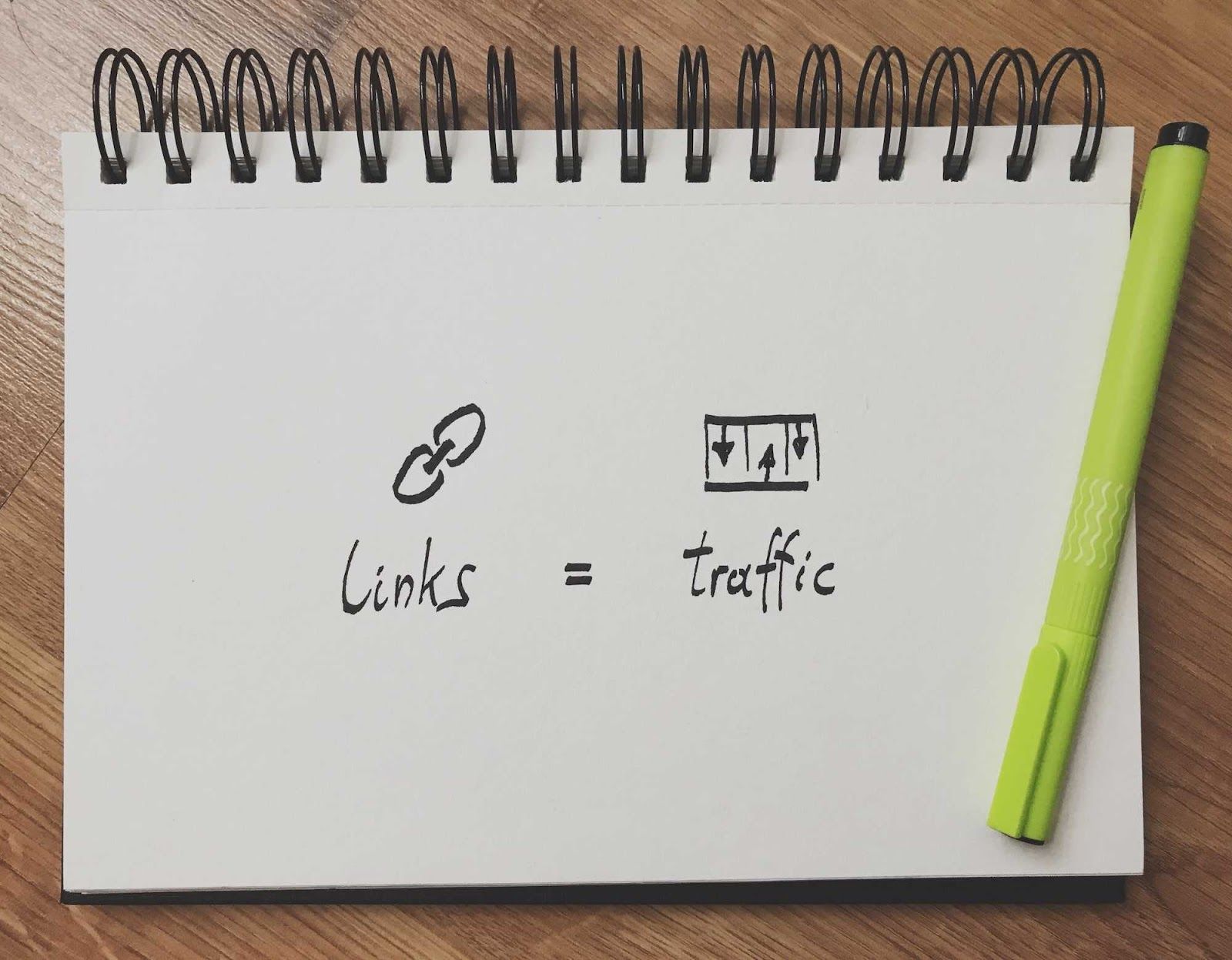
So you get it – links are important. But how do you get them?
If I were starting from scratch with no connections in a brand new niche, I would start by building relationships with the influencers in the industry.
Not only will these relationships leads to backlinks, but they can also lead to partnerships, help sharing your content, and loads of learning.
To find those influencers, start with Google. Just start searching for topics you’re interested in. The top results are typically influencers.