

Hack-X-Crypt by Ujjwal Sahay - HTML preview
PLEASE NOTE: This is an HTML preview only and some elements such as links or page numbers may be incorrect.
Download the book in PDF, ePub, Kindle for a complete version.
Download the book in PDF, ePub, Kindle for a complete version.

In this article we are going to learn that how to send any message to the other user account associated with your own pc.
Let s assume if you want to leave any message for your brother and sister who have user accounts associated with the same pc in which you have also a user account.
So follow these steps to pass any message which you to another user account at his next login.
- • Open the task manager of your pc by clicking CTRL+ALT+DEL keys simultaneously.
- • Then click on user option to view the available user account associated with your pc.
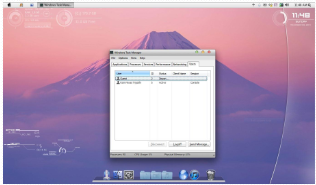
- • Select any another user account which you want to pass the message.
- • Then click on the ͞send message option place in the lower right corner.
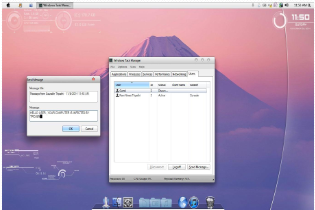
- • A dialogue box will be open after you.
- • Type any message you want to convey them.
- • If you want to shock them then you can type ͞HELLO USER YOUR COMPUTER IS INFECTED BY TROJAN
- • And when another user login to his/her user account, the same message will be displayed to him.