How to Enjoy and Profit from Pinteresting by Kristy Jenkins - HTML preview
PLEASE NOTE: This is an HTML preview only and some elements such as links or page numbers may be incorrect.
Download the book in PDF, ePub, Kindle for a complete version.
Download the book in PDF, ePub, Kindle for a complete version.
HOW TO UPLOAD VIDEOS AND IMAGES TO PINTEREST
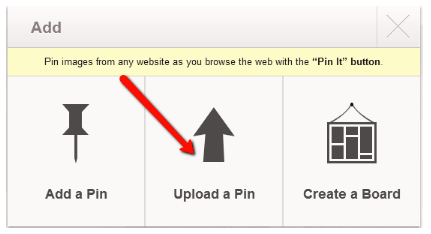
Click the "Add+" button on the top of your page.
Then click on the center image that says "Upload a Pin".
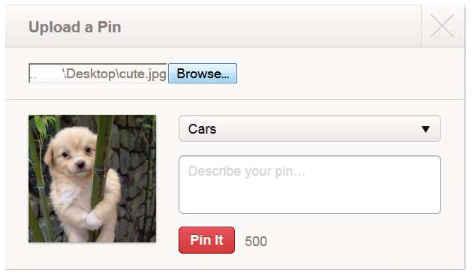
Click "Browse” button and look for the image or video that you want to upload.

After choosing the image/video a box will appear that lets you create/choose a board and add a description for the image or video you have uploaded.