

How To Create You Own Website - Step by Step Guide by Jon Delectar - HTML preview
PLEASE NOTE: This is an HTML preview only and some elements such as links or page numbers may be incorrect.
Download the book in PDF, ePub, Kindle for a complete version.
Download the book in PDF, ePub, Kindle for a complete version.
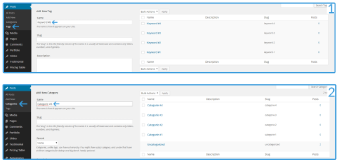
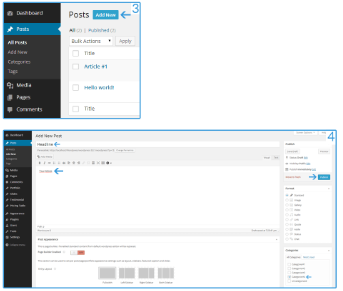
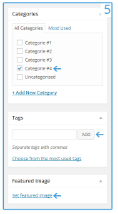
Explanation
1. Click on "Tags" and insert a new keyword.
2. Click on "Categories" and insert a new article category.
3. Go to "All Posts" and click on "Add New".
4. Insert your headline, content and category and click on "Publish".
5. Here you see, you can add some “Tags” and an article image (if your template would support this).