

DDgui Programmers Reference Guide by Nicholas J. Kingsley - HTML preview
PLEASE NOTE: This is an HTML preview only and some elements such as links or page numbers may be incorrect.
Download the book in PDF, ePub, Kindle for a complete version.
Download the book in PDF, ePub, Kindle for a complete version.
Combo Box
A combo box is DDgui's equivalent of a drop-down box, and is called with :
DDgui_combo(id$, text$ [, width%, height%])
id$ is the ID for the widget, text$ is the list of items that could be selected. Each item should be separated by a “|”
width%, if present, sets the width of the drop-down button. If this value is not present, then the width will be set to the length of the largest item in the list.
height%, if present, sets the height of the drop-down button. If this value is not present, then the height will be height of the current font being used.
For example using :
DDgui_combo("test","example|wibble wobble",0,0)
Produces :
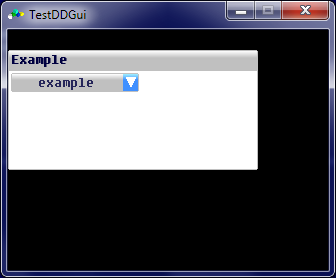
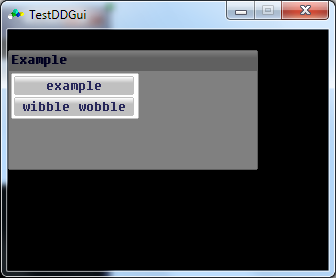
The default item displayed is the first item in the list