DDgui Programmers Reference Guide by Nicholas J. Kingsley - HTML preview
PLEASE NOTE: This is an HTML preview only and some elements such as links or page numbers may be incorrect.
Download the book in PDF, ePub, Kindle for a complete version.
Download the book in PDF, ePub, Kindle for a complete version.
Check Boxes
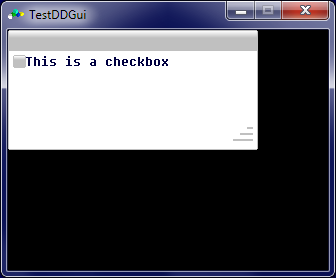
Check boxes allow the user to activate or de-activate an option, and is created using :
DDgui_checkbox(id$, text$, [, width%, height%])
with id$ being a unique identifier, and text$ is the text to be displayed.
width% and height% are optional. If these are given, the the widget will be created with the horizontal size defined by width% and the vertical size by height%.
If these values aren't given, the the widget with take the horizontal size of the text length and the font height.
By default a check box is un-ticked. A check box can be pro grammatically activated or de-activated by using DDgui_set. The check box status can be read by using DDgui_get
A check box looks like :