

DDgui Programmers Reference Guide by Nicholas J. Kingsley - HTML preview
Download the book in PDF, ePub, Kindle for a complete version.
Buttons
Buttons allow the user to select an option, and are created with :
DDgui_button(id$, text$, [, width%, height%])
with id$ being a unique identifier, and text$ is the text to be displayed.
width% and height% are optional. If these are given, the the widget will be created with the horizontal size defined by width% and the vertical size by height%.
If these values aren't given, the the widget with take the horizontal size of the text length and the font height.
A button has two graphic modes. One when the mouse pointer is over it, and one when it isn't :
Mouse NOT over button Mouse OVER button
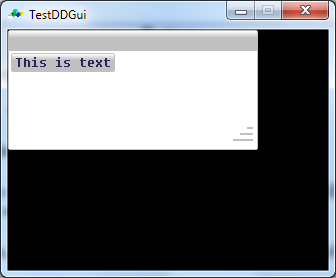
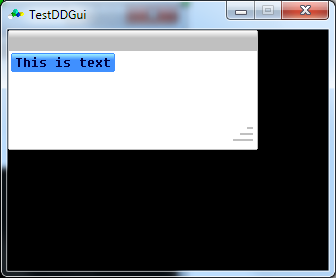
Buttons can also have sprites in them. This is done by setting text$ to “SPR_B” and appending the sprite index to it
With SPR_B, the sprite size (if width% and height% are 0) will be used to calculate the size of the button.
In addition, a button can have a filled colour. This is done by setting text$ to “SPR_C” and appending an integer colour to it. The size of the button created is based on the
width% and height% values – if either of these are 0, then the default width (or height) is 32
SPR_C buttons, when pressed will open the Colour Dialog window.